Dashboard customization
Arrow test
Only works for Active Info Display type 1 (5NA920790A/B/C, 5NA920791A/B/C)
Type 2 instrument panels (5NA920790D) are not supported
Coding is performed only with the ignition on and the engine not running
Block 17 → Coding:
Demo: Activate
→ Apply (with block reboot)
```
=== "Coding in OBD11"
``` yaml title="Login code: 20103"
Block 17 – Instrument cluster → Long coding:
Demo: yes
```
=== "Coding in VCDS"
``` yaml title="Login code: 20103"
Block 17 Instrument cluster → Coding → Long coding:
Byte 1 – Bit 0 (Gauge test/ Needle Sweep / Staging): Activate
Exit → Save
```

### Disabling audible and visual warnings if the key is outside the vehicle while the vehicle is running
``` yaml
Block 17 → Coding:
Leaving_warning: no
→ Apply (with block reboot)
Display caller's photo, album cover, radio station logo on the dashboard
Block 17 → Adaptation:
Picture_Upload_Download: Activate
→ Apply
Remaining in tanks
Coding is performed only with the ignition on and the engine not running
Block 17 → Coding:
Volume to be filled: Activate
→ Apply (with block reboot)
```
=== "Coding in OBD11"
``` yaml title="Login code: 20103"
Block 17 Instrument cluster → Long coding:
Amount that needs to be refilled: yes
```
=== "Coding in VCDS"
``` yaml title="Login code: 20103"
17 Instrument cluster → Coding → Long coding:
Byte 10 – Bit 4 (Volume to be Replenished): Activate
Exit → Save
```

!!! tip ""
The step of indications of how much fuel to fill is a multiple of 5 liters, i.e. 5-10-15-20, etc.
(checked, it fits even a little more than it shows - showed 30 freely, 32 liters fit)
### Lap timer
!!! warning ""
Coding is performed only with the ignition on and the engine not running
=== "Coding in ODIS"
``` yaml title="Login code: 20103"
Block 17 → Coding:
Lap Timer: Activate
→ Apply (with block reboot)
```
=== "Coding in VCDS"
``` yaml title="Login code: 20103"
Block 17 Instrument cluster → Coding → Long coding:
Byte 1 – Bit 3 (Lap Timer active): Activate
Exit → Save
```

### Display instantaneous flow rate
``` yaml title="Login code: 20103"
Block 17 → Adaptation:
Instantaneous Consumption Display: Display
→ Apply
Deactivating the audible warning that the ignition is on when the door is opened
Block 17 → Adaptation:
Ignition active message; trigger : «No display (tbd)»
→ Apply
Tip
There are 3 values: No display (tbd), Driver door, All doors.
Disabling the seat belt warning
Switches off to avoid distractions on rare occasions when short distance travel is necessary
Block 17 → Adaptation:
Disable seat belt warning: yes
→ Apply
Activating intermediate speedometer values
Works only on new AID dashboards from 2019.
In any case, 100 km/h is always at the top.
Variants
Variant_0
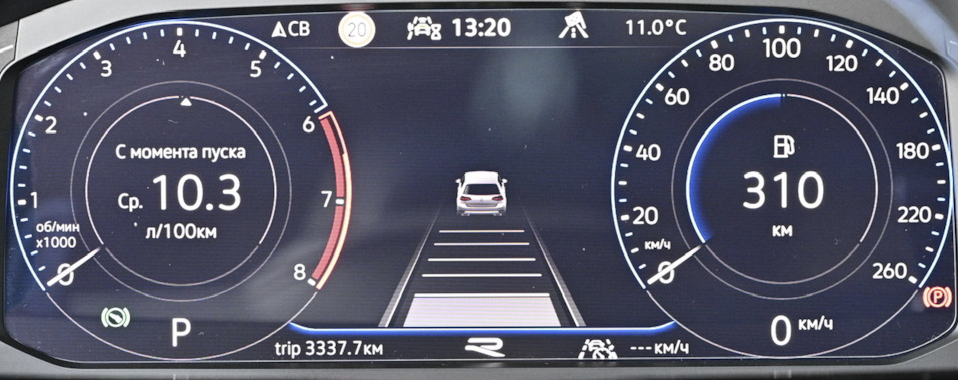 Variant_1
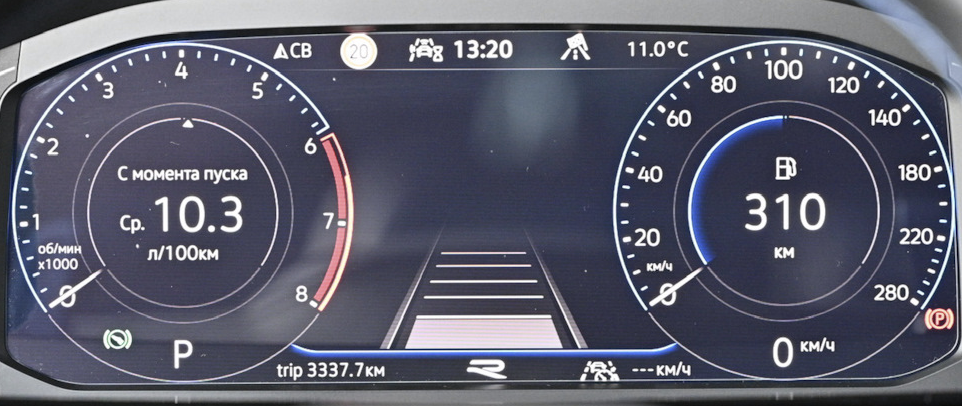 Variant_2
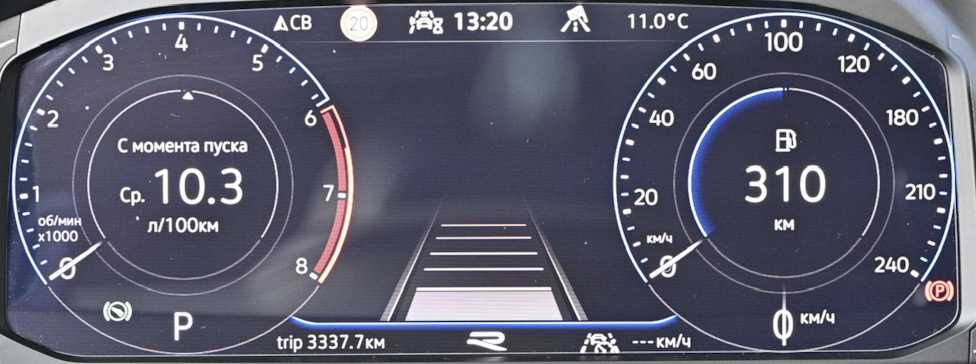 Variant_3
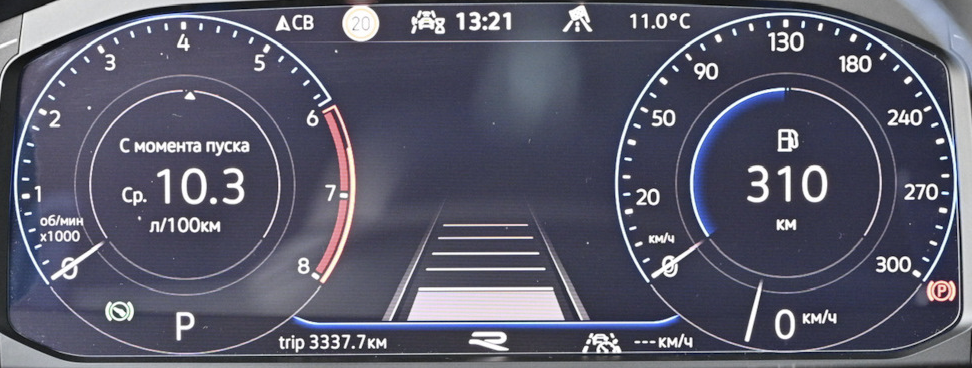 Variant_4
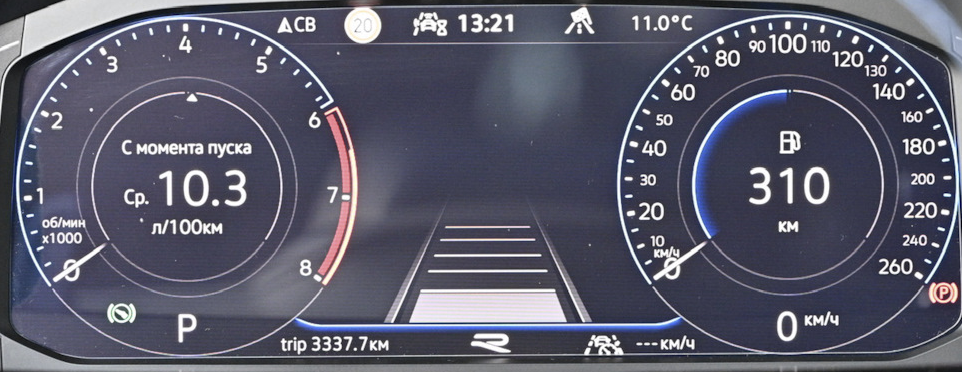 Variant_5
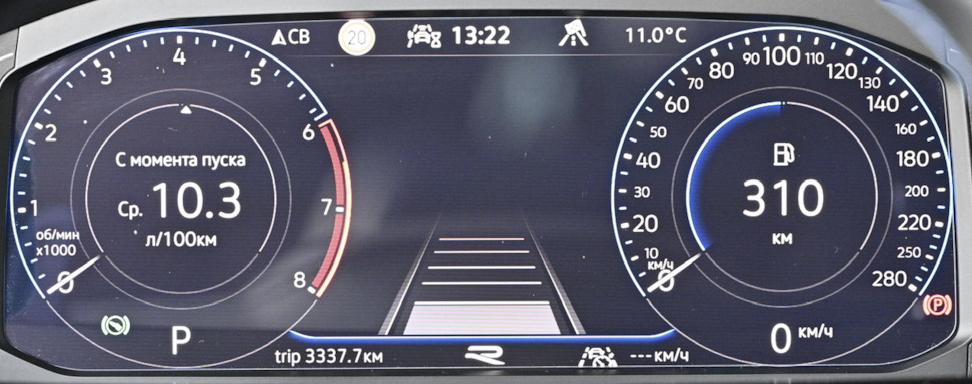 Variant_6
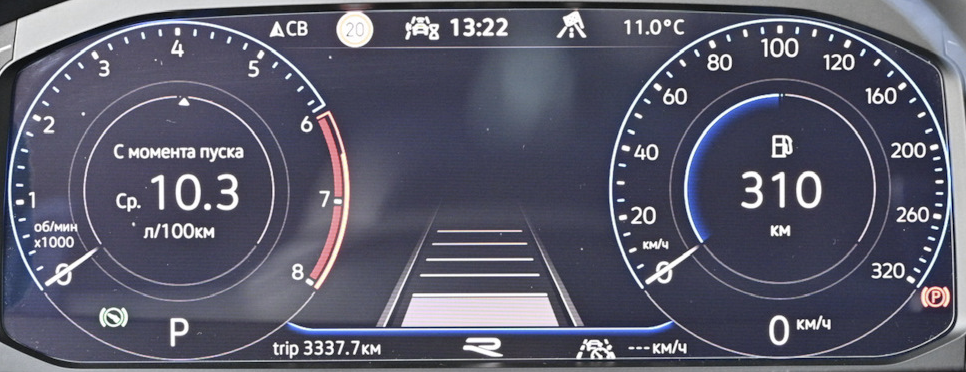 Variant_7
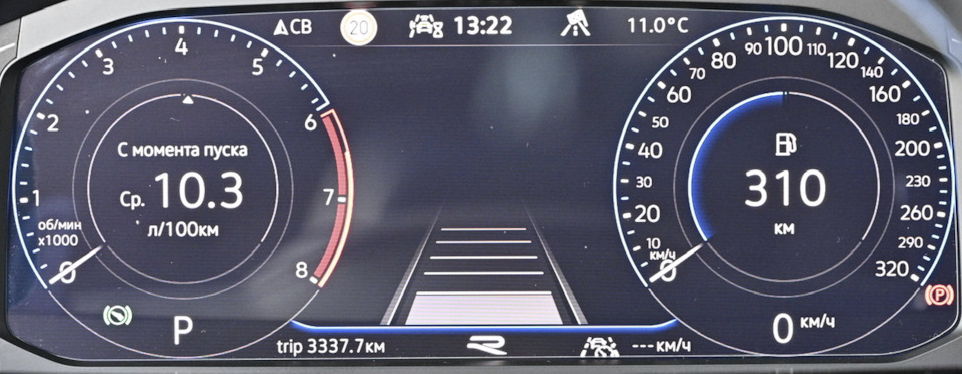 Variant_8
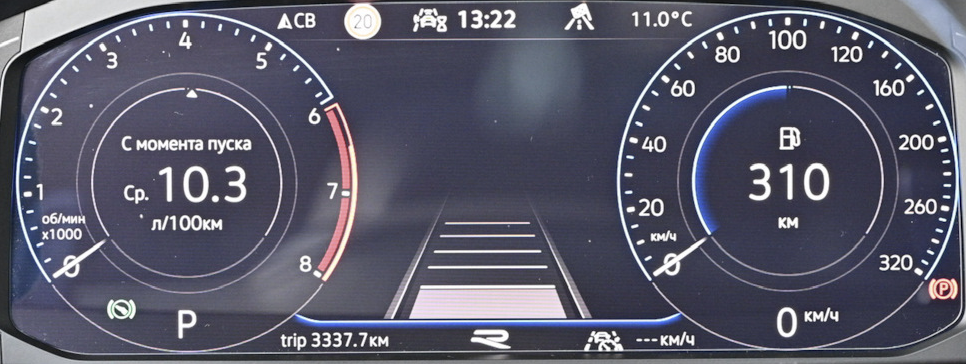
Variant_9
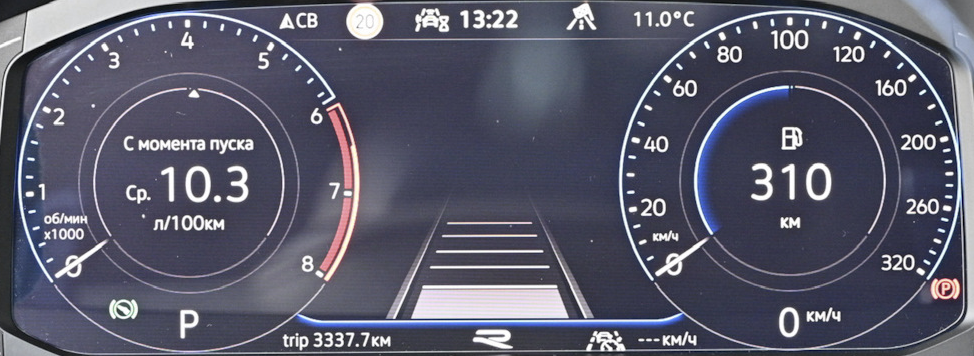
Block 17 → Adaptation:
Speedometer_final_value / Tachometer end value: version_4
→ Apply
Changing the animation/display of the central part of the dashboard
Installation options
execution_1 – classic execution_3 – dots/carbon theme
Block 17 → Adaptation:
Display: version_3
→ Apply
R-line logo (for new type 5NA920790D instrument panels)
Possible options
Without R logo
With R logo
With R-Line logo
R logo from model update 25/19
R-Line logo from model update 25/19
Block 17 → Adaptation:
R_Logo: select the one you need
→ Apply
Adjusting the speedometer readings
For each tire size you need to select its own value
Block 17 → Coding:
Tire Circumference: Version 3
→ Apply
```
=== "Coding in VCDS"
``` yaml title="Login code: 20103"
Block 17 Instrument cluster → Coding → Long coding:
Byte 3 – Bit 0-2: Version 3
Exit → Save
```

### Changing the type of displayed car
!!! warning
does not work if Aesthetic lighting is enabled
### Changing the dashboard skin
=== "Dashboards VW 5NA920790A/B/C, 5NA920791A/B/C"
Themes are set by changing combinations of 2 parameters
``` yaml title="Login code: 20103"
Block 17 → Coding:
Tube_version: 0..9
Vehicle variant: 0..9
→ Apply
```
variant 1

``` yaml title="Login code: 20103"
Block 17 → Adaptation:
Tube_version: variants 0, 5, 6, 7, 8, 9
→ Apply
```
variant 2

``` yaml title="Login code: 20103"
Block 17 → Adaptation:
Tube_version: variant 1
→ Apply
```
variant 3

``` yaml title="Login code: 20103"
Block 17 → Adaptation:
Tube_version: variant 2
→ Apply
```
variant 4

``` yaml title="Login code: 20103"
Block 17 → Adaptation:
Tube_version: variant 3
→ Apply
```
variant 5

``` yaml title="Login code: 20103"
Block 17 → Adaptation:
Tube_version: variant 4
→ Apply
---
Vehicle variant: variants 2, 4
→ Apply
```
variant 6

``` yaml title="Login code: 20103"
Block 17 → Adaptation:
Tube_version: variant 4
→ Apply
---
Vehicle variant: variants 6, 8
→ Apply
```
=== "Dashboards VW 5NA920790D"
``` yaml title="Login code: 20103"
Block 17 → Coding:
Tube_version
- Skinning: 0..9
→ Apply
```
variant 7

variant 8

variant 9

variant 3

variant 4

variant 5

variant 6

variant 7

variant 8

variant 9

=== "Dashboards Seat"
### Reset Service Interval
``` yaml title="Login code: 20103"
Block 17 → Adaptation:
Resetting extended service interval counters: Reset
→ Apply